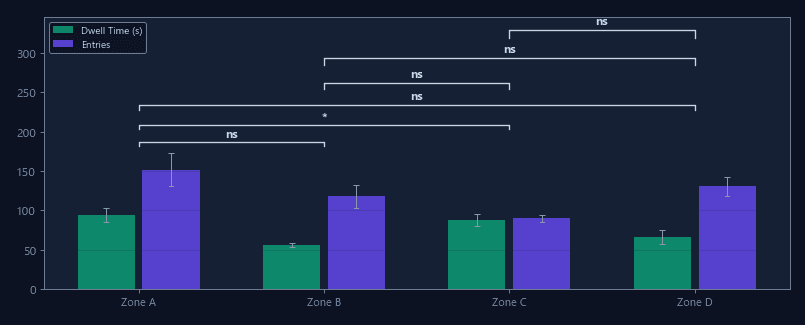
Per-zone occupancy data
Dwell time, entry count, and mean visit duration for each defined ROI across the full session and per time bin.
CSVJSON
Draw analysis zones directly on the arena view
Visual drag-and-drop editor for circles, rectangles, polygons, and freeform zones — define any spatial region with pixel-level precision and see occupancy update in real time.
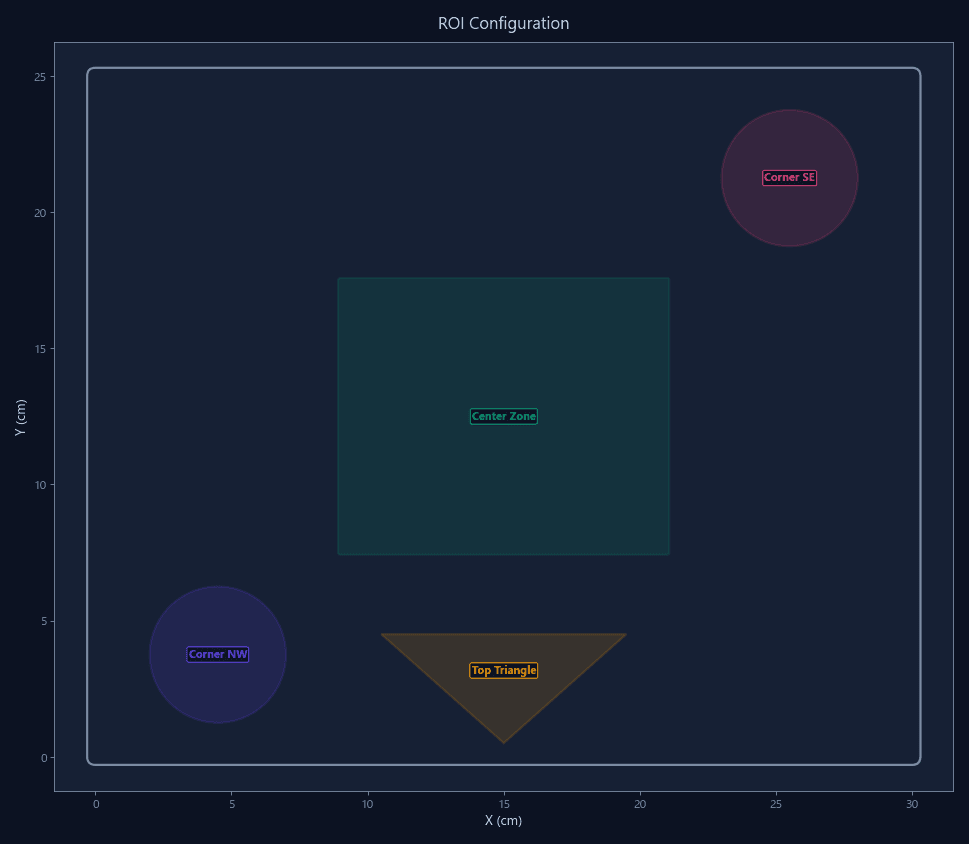
Standard software offers quadrants, a center circle, and perhaps a few predefined layouts. But real experiments use irregularly shaped arenas, offset objects, asymmetric zones, and custom regions that predefined layouts cannot represent.
ConductVision provides a visual ROI editor overlaid on the live or recorded arena view. Draw zones by clicking, dragging, or tracing polygons. Zone occupancy updates in real time during tracking, and zones persist across sessions.
Dwell time, entry count, and mean visit duration for each defined ROI across the full session and per time bin.
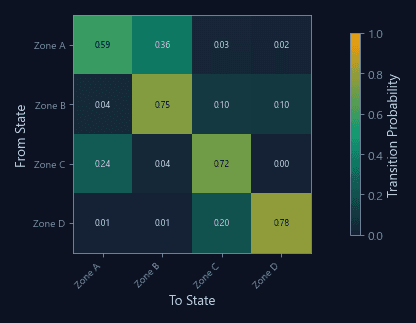
Transition counts and probabilities between all defined zones — which zones the animal moves between most frequently.
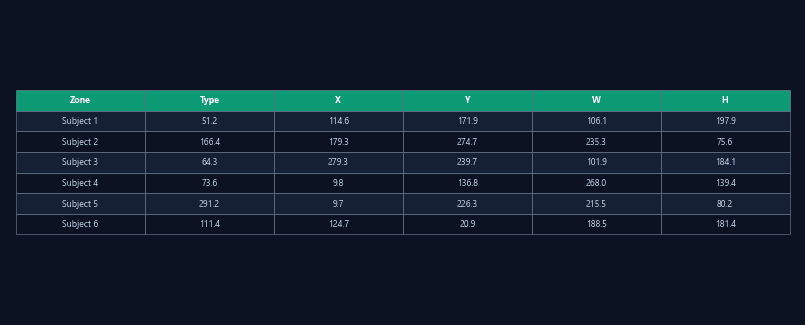
Exportable zone definitions (coordinates, shapes, labels) for reuse across sessions, sharing with collaborators, or archiving with data.
Hexagonal arenas, L-shaped environments, and multi-compartment cages with irregular boundaries.
Draw interaction zones around objects, food sources, or other animals with adjustable radius.
Define regions to exclude from analysis — food hoppers, water bottles, or arena defects that cause false detections.
Define drug-paired and vehicle-paired compartments with exact boundaries matching your chamber geometry.
| Feature | ConductVision | Typical systems |
|---|---|---|
| Zone drawing method | Visual drag-and-drop on arena view | Coordinate entry or predefined layouts |
| Shape types | Circle, rectangle, polygon, freeform | Quadrants and center circle |
| Zone count limit | Unlimited | 4-8 zones typical |
| Real-time preview | Live occupancy during tracking | Post-hoc verification only |
| Zone reuse | Save and load configurations | Re-draw each session |
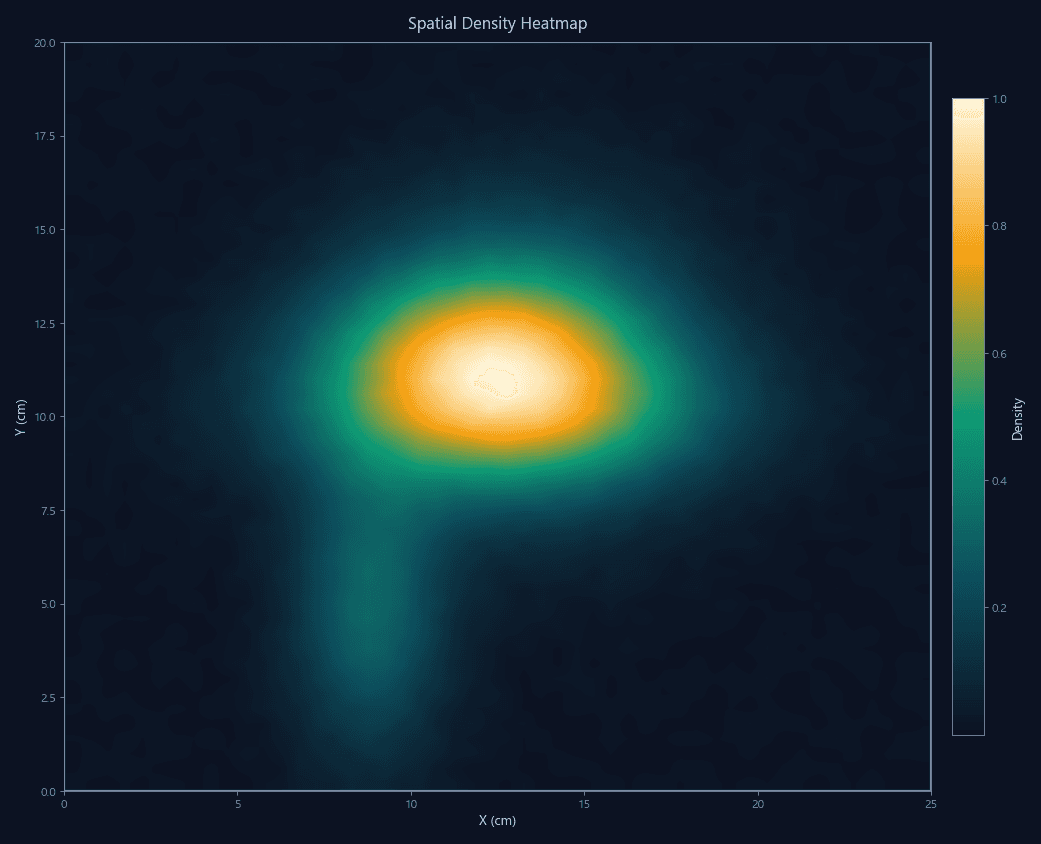
Configurable spatial zones with automated dwell time, entry count, and heatmap analysis for any arena.
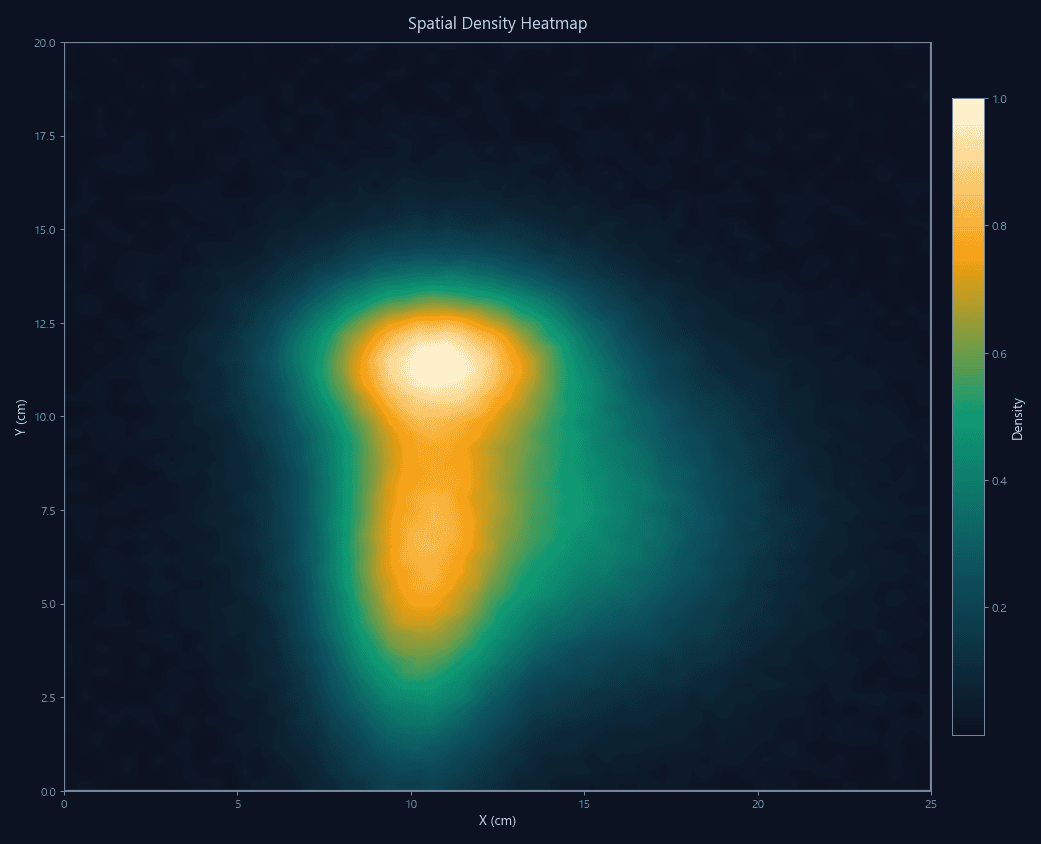
Real-time spatial occupancy heatmaps with color-coded density overlays on the arena view.
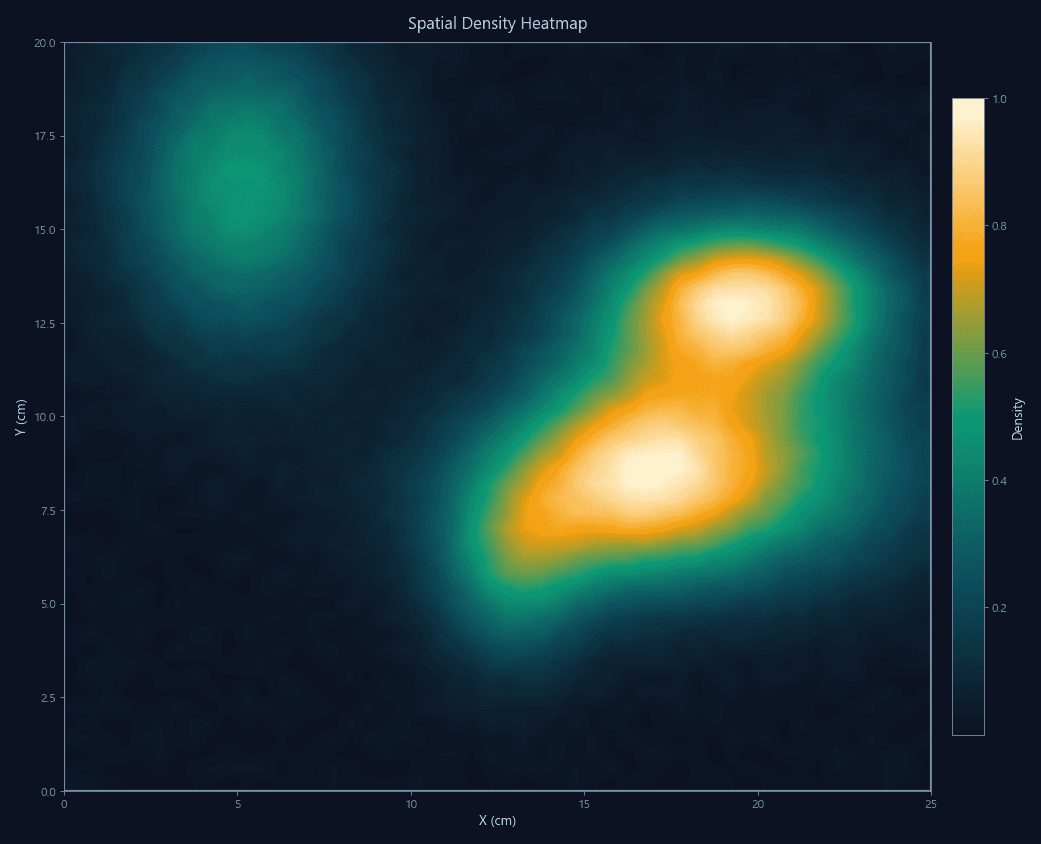
Parallel arena recording and automated batch processing for high-throughput behavioral studies.
Open the ROI editor and draw zones that match your arena — no coordinate entry needed.