ConductVision Enterprise

Fall Detection

ConductVision flags the moment a person falls in camera view and times how long until someone reaches them, for senior living communities, worksites and stations.

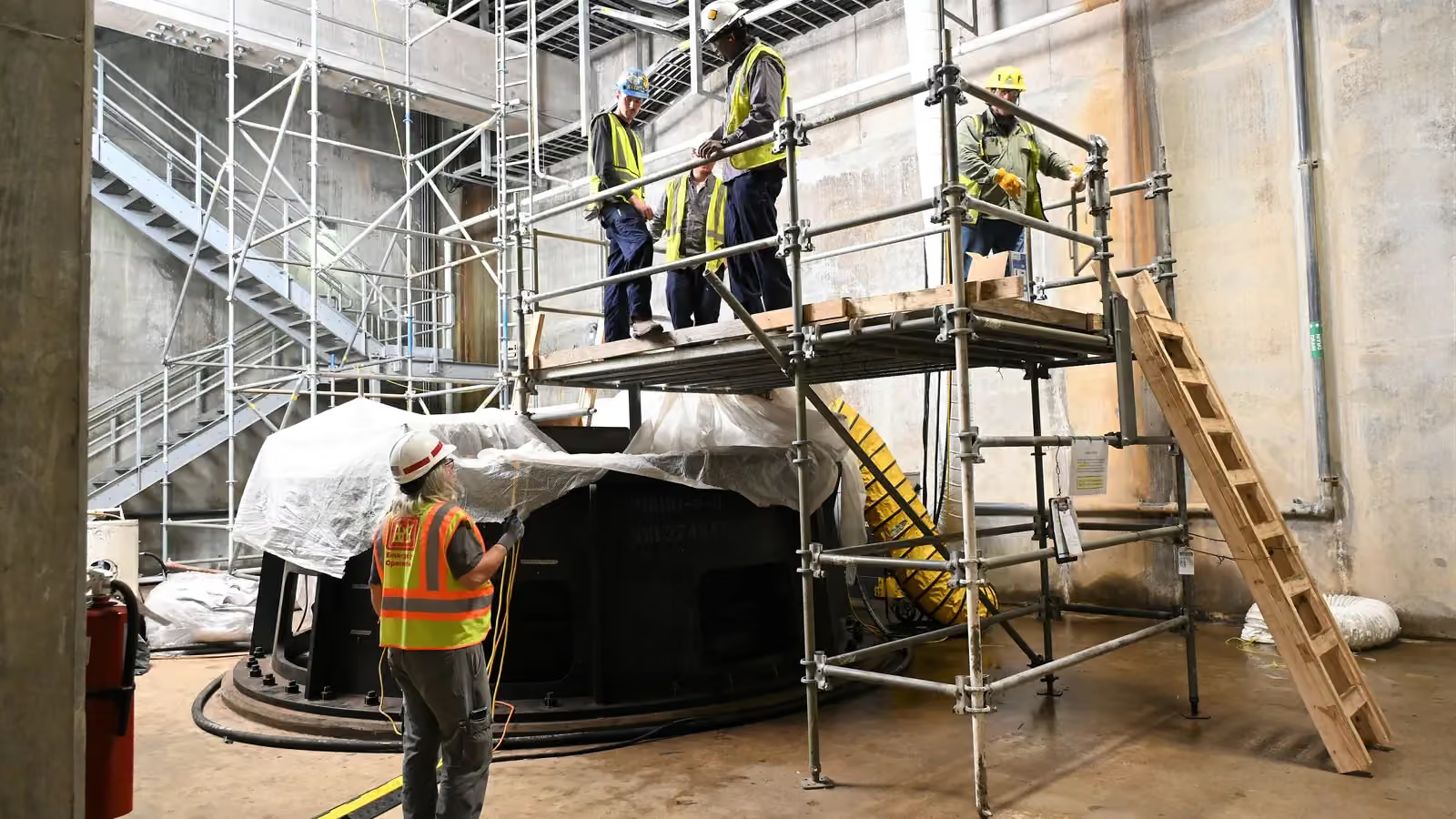
Workers on a scaffold platform above a repair site and a worker on the floor below; pose skeletons mark five people, three of them working at height.5 detections
Scaffold at a canal repair site
  • Person5

ConductVision detections on this photo.

Fall Detection uses pose-estimation models to identify the rapid vertical-to-horizontal body transitions characteristic of fall events, distinguishing them from normal activities like sitting down, bending, or lying on a couch. The system is designed to route an alert when a fall is detected, supporting response workflows in elderly care, assisted living, and industrial safety. Unlike wearable-based solutions, camera-based detection requires no device on the person and works for anyone within the camera field of view, visitors, staff, and residents alike.

Outcomes

What your team gets

Time until someone arrives

A fall in a stairwell, aisle or back room may happen with nobody nearby.

The person waits until someone happens to walk past.

How
ConductVision marks the frame where a person goes down and the first frame another person reaches them.
You get
A response log with the fall time, the arrival time and a clip for each event.

Falls from ladders

Work on ladders goes on all shift, and a supervisor sees only moments of it.

Slips that end on a lower rung go unreported.

How
ConductVision locates ladders in the scene and tags a fall from or beside one as its own event type.
You get
Ladder falls logged apart from falls on level ground, with a still of each.

The seconds before each fall

Incident reports after a fall rely on what the person and any witnesses recall.

Without footage, a team cannot tell a trip over a cable from a slip on a wet floor.

How
Each fall event keeps a short clip that starts before the fall.
You get
Clips for each incident review, showing what the person was doing and what was underfoot.

What the model sees

Detections in two more settings

Workers in harnesses work from a platform against a stone embankment wall with ladders; pose skeletons mark four workers.
Ladders on an embankment wall
  • Person4

ConductVision detections on this photo.

A worker in a harness stands on a step ladder near an open slab edge; boxes mark the worker with a pose skeleton and the ladder.
Step ladder near a slab edge
  • Person1
  • Ladder1

ConductVision detections on this photo.

Endpoints

What a pilot measures

Each endpoint is defined before the pilot starts, with what is counted, its unit and how the results are broken down.

What a pilot measures
PrimaryTime to first responseMinutes from the frame where a person goes down to the first frame with another person beside them.Unit:minutes (median)By:Area, shift
SecondaryFall rateConfirmed fall events per 1,000 hours of people in view, from the person counts in sampled frames.Unit:falls per 1,000 person-hoursBy:Area, hour
Ladder fallsShare of confirmed falls that start on or beside a ladder.Unit:%By:Area, week
Unanswered alertsFall alerts with nobody reaching the person within the window the team sets, counted per week.Unit:alerts per weekBy:Area, shift

How we check the model

Each pilot measures ConductVision on your own footage against a sample checked by hand, before anyone relies on its numbers.

  • Fall alert precision

    Share of fall alerts that a reviewer confirms as real falls in a hand-checked sample of alert clips.

    % · by camera, area

  • Missed falls

    Share of falls in a reviewed test set, including falls acted out by staff on mats, that ConductVision did not flag.

    % · by camera, fall type

  • False alerts

    Alerts a reviewer rejects, such as a person kneeling to work or stretching on a mat, per camera per day.

    alerts per camera-day · by camera, activity

How it works

Fall Detection in three steps

  1. Connect

    Connect Room and Hallway Cameras

    Install cameras in common areas, hallways, bathrooms (privacy-mode compatible), and high-risk zones. The system works with existing IP cameras and supports privacy-preserving skeleton-only processing where full video is not appropriate.

  2. Analyze

    Pose Estimation and Fall Classification

    A real-time pose-estimation model tracks body keypoints frame by frame, building a temporal sequence of posture states. A fall classifier analyzes the velocity and trajectory of the transition from upright to ground-level, filtering out normal activities like sitting or crouching.

  3. Act

    Route Alerts for Response

    When a fall is confirmed, alerts are dispatched to designated caregivers, nursing stations, or monitoring centers with the camera location, a snapshot or skeleton-only image, and the timestamp. If no response is acknowledged within a configurable window, the alert escalates.

What it detects

Classes the models report

  • Person

    Each person in view, tracked with one ID

  • Body pose

    Keypoints for the head, shoulders, hips and knees, frame by frame

  • Fall

    The frame a person goes down, from the fall class and the pose

  • Ladder

    Located in the scene, so falls from or beside it are tagged

  • Arrival

    The first frame another person reaches the one who fell

Features

What the system does

Rapid Fall Detection
Identifies fall events by analyzing the speed and angle of body posture change. The temporal model distinguishes sudden collapses from gradual position changes.
Activity Discrimination
Differentiates falls from normal activities, sitting down, bending to pick up objects, lying on furniture, exercising on the floor. Reduces false alarms that erode trust in alerting systems.
Skeleton-Only Privacy Mode
Processes video as anonymous skeletal keypoints only, discarding all pixel data. Alerts include stick-figure visualizations instead of photographs, suitable for bedrooms and bathrooms.
Post-Fall Immobility Monitoring
After detecting a fall, the system monitors whether the person regains mobility. Extended immobility triggers escalated alerts, as prolonged time on the ground correlates with worse outcomes.
Multi-Person Tracking
Tracks multiple individuals simultaneously within a single camera view, detecting falls for any person regardless of occlusions from furniture or other people.
Escalation Chains
Configurable alert routing sends initial notifications to nearby staff, then escalates to supervisors and emergency contacts if the alert is not acknowledged within defined time windows.
Historical Fall Analytics
Logs all detected falls with location, time, and context. Facility managers can identify high-risk areas, peak fall times, and recurring patterns to guide preventive interventions.
Use cases

Where teams put it to work

Assisted Living Facilities

Residents in assisted living may be alone when a fall occurs. Camera-based detection can notify on-duty staff so a fall does not wait for the next scheduled check.

healthcaresenior living

Hospital Patient Monitoring

Hospitalized patients, especially those recovering from surgery or on sedating medications, are at elevated fall risk. Room-mounted cameras in skeleton-only mode can alert nursing staff without compromising patient privacy.

healthcare

Home Care for Aging in Place

Older adults living independently face fall risk without on-site staff. A camera system in key rooms can alert family members or remote monitoring services, enabling aging in place with an additional safety layer.

healthcaresenior living

Industrial Workplace Safety

Workers on elevated platforms, ladders, and scaffolding face fall hazards. Camera-based detection can provide an alert independent of whether the worker is wearing a personal fall-arrest system, covering visitors and contractors as well.

manufacturingconstructionenergy

Retail Slip-and-Fall Monitoring

Customer falls on wet floors or cluttered aisles call for a fast staff response. Detection can prompt that response and generate timestamped incident documentation for risk management.

retailhospitality

Public Transit Station Safety

Falls on escalators, platforms, and stairways at transit stations require rapid response. Automated detection can alert station personnel immediately, supplementing the coverage that human monitoring of dozens of camera feeds cannot maintain.

transportationsmart city

Technical overview

Inputs, outputs and hardware

Accuracy and speed are measured on your footage and cameras during the pilot, and reported with the conditions they were measured under.

Models
Pose keypoints (YOLO family) and the fall class of the ConductVision PPE detector
Input formats
RTSP, ONVIF, MP4, HLS, MJPEG
Output formats
JSON, MQTT, Webhooks, CSV
Hardware
NVIDIA Jetson (Orin/Xavier), Intel NUC, any x86 with CUDA-capable GPU

Pilot

Evaluate fall detection on your footage

A pilot takes one prioritized outcome, runs on your cameras, reports the endpoints above and ends with a results review and a decision.