1 / 5
Automated Conditioned Place Preference
SKU ME-4405/4406
$6,400.00
IncludesStandard care
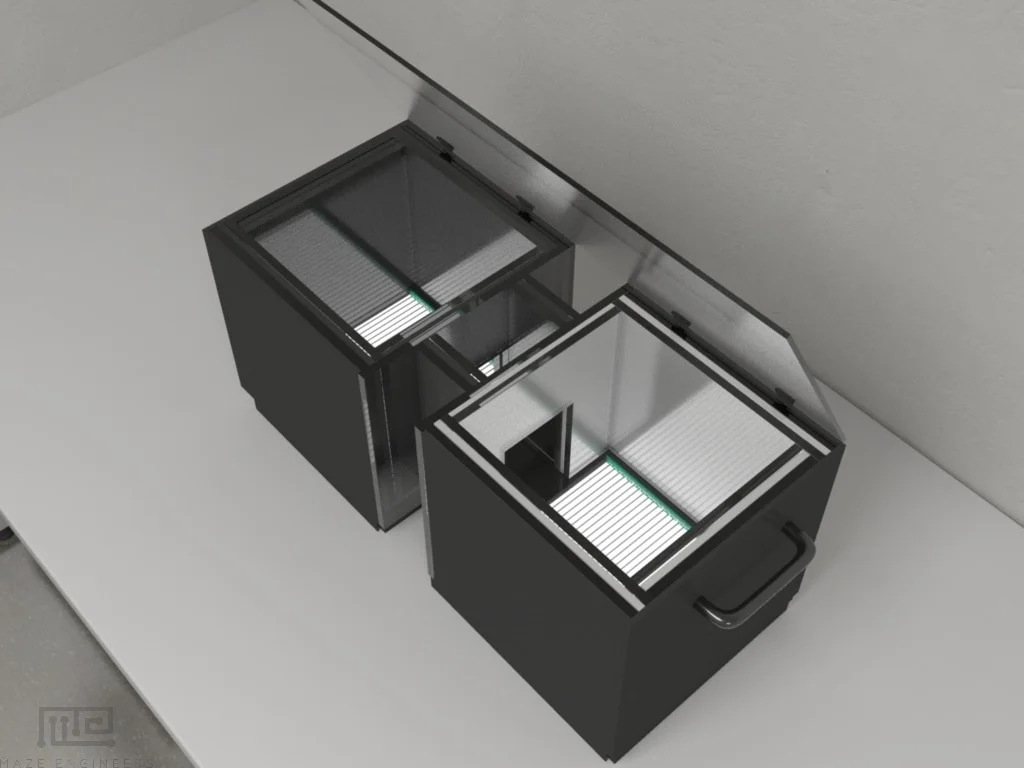
Automated conditioned place preference apparatus with two compartments, programmable shock delivery, reward systems, and comprehensive software control for studying learned associations and behavioral conditioning in mice and rats.
Scientist guidance

Louise Corscadden, PhD
Director of Science · ConductScience
Ask Louise about Automated Conditioned Place Preference fit, setup, configuration, or quote prep.
Already working with us? Sign in to connect this with My Scientist.
Key Specifications
Full details →- Model fit
- 4 selectable configurations
- SKU family
- ME-4405/4406
- Shipping box
- 43.2 x 38.0 x 27.9 cm
- Ordering
- Online checkout and quote request available
- Category
- Automated Mazes
- Build notes
- Confirm accessories, station layout, and support needs before purchase
Overview
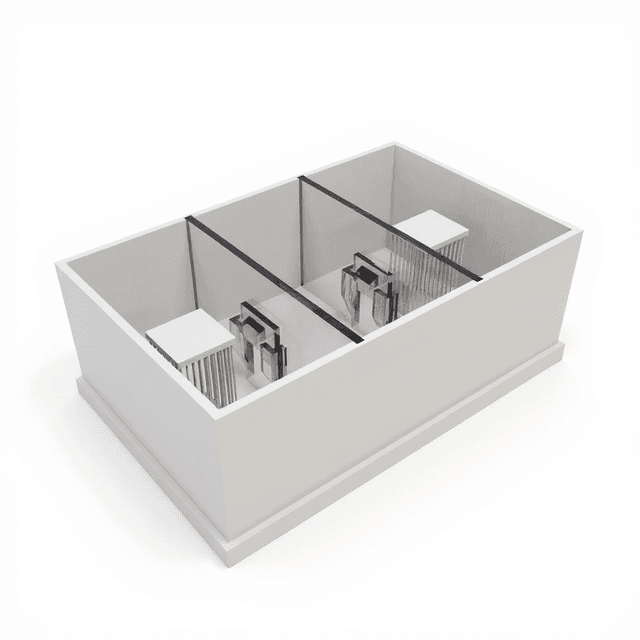
The Automated CPP (Conditioned Place Preference) system is a sophisticated behavioral neuroscience apparatus designed for studying learned associations between environmental contexts and stimuli. This automated system consists of two distinct compartments connected by a corridor, featuring programmable shock delivery, reward dispensers, location sensors, and customizable contextual cues. The comprehensive software control system enables researchers to create complex behavioral protocols for investigating learning, memory, and reward-based behaviors in both mice and rats.
Key Features
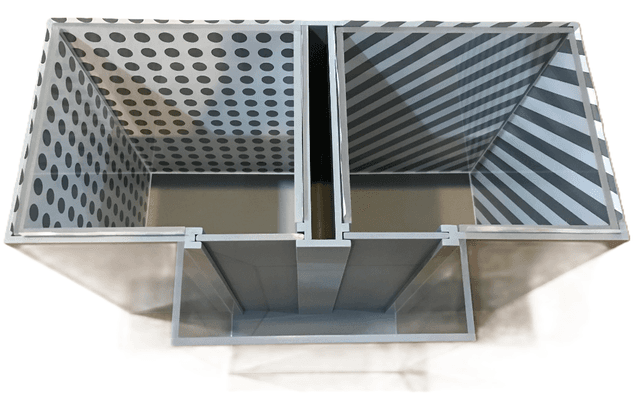
The system incorporates advanced automation features including dual output shock grids (0-4.0 mA), location sensors for precise entry/exit detection, and customizable contextual wall plates available in white, black, and striped patterns. Variable intensity light controls (0-100 levels) provide visual cues in multiple colors including white, red, green, blue, and yellow. Optional reward systems include pellet dispensers and lick-o-meters for comprehensive behavioral analysis. The clear acrylic construction with removable lids allows for easy observation and maintenance, while feces collection trays facilitate hygiene management.
Applications
This apparatus is ideally suited for conditioned place preference testing, learning and memory research, reward-based behavioral studies, and aversive stimulus association studies. Researchers can investigate drug preference, environmental conditioning, spatial learning, and the neural mechanisms underlying approach-avoidance behaviors. The system's flexibility allows for both positive and negative reinforcement paradigms, making it valuable for addiction research, pain studies, and cognitive behavioral analysis.
Species Compatibility
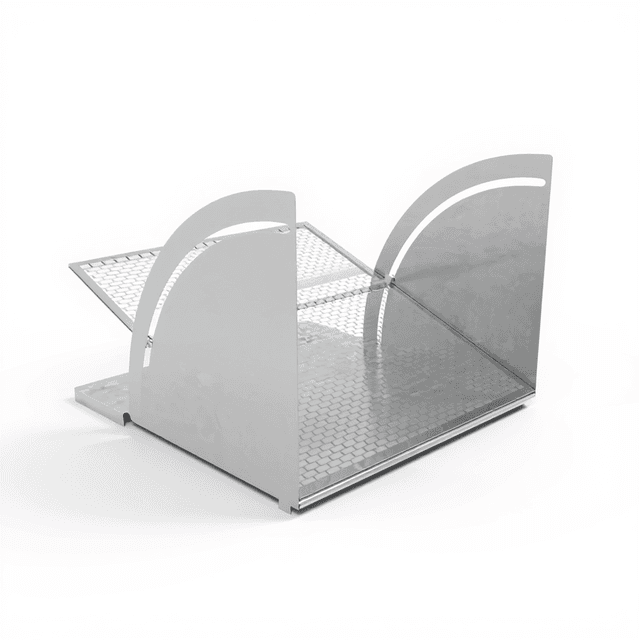
The system accommodates both mice and rats with species-specific chamber dimensions and grid configurations. Mouse chambers measure 13 x 10 cm with 13 cm height, while rat chambers provide 27 x 27 cm with 30 cm height. Shock grid parameters are optimized for each species, with 3 cm rod diameter and 5 mm spacing for mice, and 6 cm diameter with 10 mm spacing for rats.
How It Works
The Conduct CPP Software controls the conditioned place preference apparatus through USB-RS232 communication, enabling researchers to design sophisticated behavioral experiments by defining event-action sequences. During experiment execution, the software continuously monitors animal behavior through location sensors that detect chamber entries, water licking events, and movement patterns. When predetermined behavioral events occur, the system automatically triggers corresponding apparatus actions such as light cue activation, reward delivery, or shock administration based on the configured protocol parameters. The software records detailed event logs, chamber duration data, and behavioral timelines, providing comprehensive datasets for statistical analysis of place preference formation and extinction.
Features & Benefits
Dual compartment design with corridor
Enables clear spatial preference assessment and controlled environmental transitions
Programmable shock delivery system (0-4.0 mA)
Provides precise aversive conditioning with customizable intensity levels
Location sensors for entry/exit detection
Automatically tracks animal movement and dwell time without manual observation
Customizable contextual wall plates
Creates distinct environmental cues for robust conditioning paradigms
Variable intensity light controls
Offers multiple visual stimuli combinations for complex behavioral protocols
Optional pellet dispensers and lick-o-meters
Enables reward-based conditioning and appetitive behavior analysis
Event-based software configuration
Allows creation of complex behavioral protocols with conditional responses
Comprehensive data logging
Provides detailed behavioral records for statistical analysis and publication
Clear acrylic construction
Enables visual monitoring while maintaining controlled experimental environment
Species-specific dimensions
Optimizes experimental conditions for both mouse and rat research protocols
Shipping weight
- 21.0 lb
Shipping box
- L: 43.2 cm
- W: 38.0 cm
- H: 27.9 cm
| Model | SKU | Listed price | Status | Shipping box |
|---|---|---|---|---|
| Rat 3-Chamber | ME-4405/4406 | $6,400.00 | Available | 43.2 x 38.0 x 27.9 cm |
| Mouse 3-Chamber | ME-4405/4406 | $5,900.00 | Available | 43.2 x 38.0 x 27.9 cm |
| Rat 3 Chamber CPP | ME-4506 | $6,400.00 | Available | 43.2 x 38.0 x 27.9 cm |
| Mouse 3 Chamber CPP | ME-4405 | $5,900.00 | Available | 43.2 x 38.0 x 27.9 cm |
Addiction Research
Studying drug preference and conditioned place preference for substances of abuse
Learning and Memory
Investigating spatial memory formation and contextual learning mechanisms
Pain Research
Analyzing aversive stimulus associations and pain-avoidance behaviors
Reward Neuroscience
Examining reward-seeking behaviors and motivational systems
Cognitive Behavioral Studies
Evaluating decision-making processes and approach-avoidance conflicts
Pharmacological Research
Testing therapeutic compounds for effects on learning and memory
Developmental Neuroscience
Studying age-related changes in conditioning and preference formation
Stress and Anxiety Research
Investigating stress-induced behavioral changes and anxiety-related preferences
Practical Tips
Calibration
Use the red knob on the syringe pump to manually adjust distance before each experimental session
Why: Ensures accurate reward delivery volumes and prevents mechanical drift
Troubleshooting
Check Device Manager for proper COM port recognition and install UNITEK driver if connection fails
Why: USB-RS232 communication requires proper driver installation for reliable hardware control
Maintenance
Regularly clean feces trays and verify all cable connections between control boxes
Why: Prevents contamination and ensures consistent data collection throughout experiments
Troubleshooting
Verify that both pump1 and pump2 are enabled on the syringe control box before starting experiments
Why: Disabled pumps will result in failed reward delivery and compromised experimental protocols
Setup Guide
Syringe pump setup
Manually adjust the distance using the Red knob and place the syringe on syringe pump
Connect syringe pump cables
Connect the cable between the syringe pumps and the syringe control box
Fiber optic sensor installation
Open cover, unlock sensor, insert the sensor tips, lock sensor and close cover
Fiber optic sensor connection
Connect the fiber optic sensor probe to the control box. Sensor probe inserts into the water tube
Enable syringe pumps
Enable pump1 and pump2 to run syringe pump on the syringe control box
Connect syringe control box
Connect the input of the syringe control box to the main control box. Pump 1 and pump 2 connect to their respective syringe pumps
Connect control box to PC
Connect RS232 USB Cable between control box and PC
What’s in the Box
- Two compartments with shock grids
- Corridor connector
- Dual output shocker
- Location sensors
- Feces trays
- Clear acrylic lids
- Contextual wall plate inserts
- Light control system
- Control box
- Software with user manual
- Optional: two pellet dispensers and lick-o-meters
- Optional: reward dispensers
- Syringe pump
- Fiber optic sensor
- Syringe control box
- White cable (main communication cable)
- 5-pin cable (pellet communication cable)
- 3-pin cable (pellet detection cable)
- RS232 USB Cable
Q
How do I establish communication between the software and hardware?
A
Connect the CPP to your computer via USB-RS232 cable, verify the port in Device Manager, install the UNITEK driver if needed, select the matching COM port in the software, and click Connect until the Status field turns green.
Q
Can I customize the shock intensity for different experimental conditions?
A
Yes, the system provides programmable shock delivery from 0-4.0 mA at 163V. You can configure different shock levels for left and right chambers independently within your experimental protocol.
Q
What types of contextual cues can I use for conditioning?
A
The system includes customizable wall plate inserts (white, black, striped patterns), variable intensity lighting (0-100 levels) in multiple colors (white, red, green, blue, yellow), and different chamber textures to create distinct environmental contexts.
Q
How does the software track animal behavior automatically?
A
Location sensors detect entry and exit events from each chamber and corridor. The software monitors behavioral events like EnterLeftChamber, LeftWaterLicked, and automatically triggers corresponding actions based on your configured protocol.
Q
What data outputs does the system provide?
A
The system generates comprehensive data logs including event/action sequences, chamber duration records, and detailed behavioral timelines. Results are automatically saved to the database (JobResult.txt) and can be exported for statistical analysis.
Q
Can I run reward-based experiments without aversive stimuli?
A
Yes, the optional pellet dispensers and lick-o-meters allow for purely appetitive conditioning experiments. You can configure reward delivery without using the shock system for positive reinforcement paradigms.
Q
How do I create complex behavioral protocols?
A
Use the Event-Action Configuration feature to define behavioral events and corresponding actions with conditional parameters. You can create multiple event-action pairs and save them as reusable protocols with custom trial counts.
Q
What maintenance is required for optimal performance?
A
Regularly clean the feces trays, check sensor connections, ensure proper syringe pump calibration using the red adjustment knob, and verify that all cables are securely connected to the control boxes.
Have a question about this product?
Track rodents with ConductVision
ConductVision is our video-tracking software. Record your sessions on video, and it scores standard rodent tests, such as those listed below.
Examples of tests it scores
To check whether ConductVision scores your protocol in this apparatus, ask in your quote request.
Ask a question
Have a question? Just ask.
Send it over and we'll email you a personalized answer — no call, no scheduling.
Personalized email reply
Usually within one business day
Helpful answers published here
Prefer to talk it through?

Automated Conditioned Place Preference
$6,400.00
Added to quoteView Quote